Cyberpunk 2077 Torrent Mod Turns Night City Rain Into Real 3D Drops, Lightning and Storm Mist
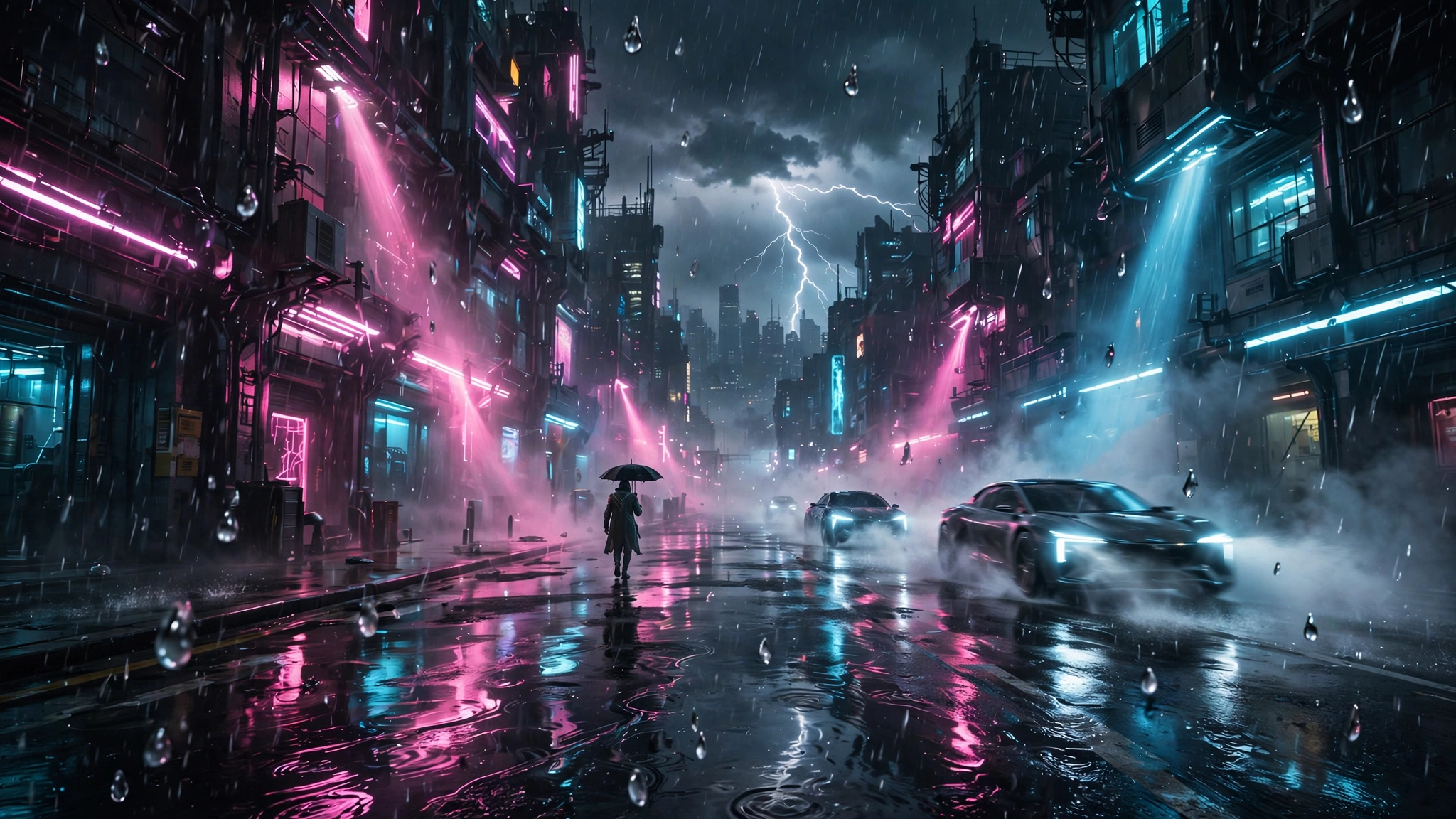
Cyberpunk 2077 fans, the time has come. Night City rain has always looked like a flat sheet hung in front of the camera. Now a new mod tears that sheet down and replaces it with real rain. Modder CyanideX has released Torrent, a mod that brings physically accurate rain and immersive weather effects to Cyberpunk 2077, and it changes the way the city feels in a storm.
Torrent is available now on Nexus Mods. Version 1.3.0 was last updated on November 11, 2026, and it is free to download. If you have ever walked through Japantown in the rain and thought the weather looked fake, this is the mod you have been waiting for.
What Torrent changes about rain
The vanilla game draws rain as flat cards of streaks. Torrent replaces those cards with real drops. Every streak is its own drop, in layers from right in front of you out past 100 metres. Sizes vary, and big drops fall faster than small ones. The rain stays put in the world as you move the camera, so it has depth instead of sliding along with you.
That one change does most of the work. Rain stops looking like an effect pasted over the screen and starts looking like weather that exists in Night City. DSOGaming reports that each drop has its own size and speed, and that the drops stay in the world as you move the camera, which gives the rain far more depth.
Under the hood, Torrent is a RED4ext plugin with a small redscript side. It draws its rain in the game’s own rain pass and hides the game’s rain only where Torrent’s rain was drawn. That matters for one simple reason. If anything ever goes wrong, you get the game rain back instead of none. Nothing is saved to your game, so you can install or remove the mod whenever you like.
Rain that reacts to how you move and what lights it
Torrent rain is not a static overlay. It reacts to you. When you drive fast, drops rush toward your windshield. Wind can push the rain to the side, and even running changes how the drops fall. The rain also reacts to the lights around you. Street lamps, neon signs and other light sources can light up each drop, so a rainy street in Japantown glows the way a real wet street glows under neon.
Your headlights light up the rain ahead of you, and the lights of nearby cars do the same. You can see soft beams through heavy rain, along with the red light of other cars’ taillights. These effects work at any speed, in both first and third person, so the mod holds up whether you are on foot or behind the wheel.
The look also follows the time of day. During the day, rain fades in at dawn and out at dusk. That small touch keeps the weather tied to the world instead of feeling like a filter switched on and off.
Rain that respects the world around it
Good rain knows where it should not fall, and Torrent gets this right. It stops where the game’s own rain stops, so it will not fall inside buildings or through walls. It also stays off you when you are under a roof. Strong winds can still blow rain under bridges and other open areas, which is exactly how real rain behaves.
Drops can splash on the ground and on roofs. They create fine spray and small rings on the surface, and heavy rain adds mist in the distance. Each type of weather has its own look, and Torrent covers Rain, Light Rain, Toxic Rain and Rainy Night. The mod also supports rainy weather from Nova City 2 and other weather mods, which makes sense, since CyanideX made Nova City 2 as well.
Drizzle creates fine drops in small patches, while showers grow and fade with the game weather. The look also changes smoothly when the weather changes, so you never get a hard cut from one sky to another. If you want to see how much a good weather mod can change a game, our Red Dead Redemption 2 Reality Redemption 2 ray tracing mod coverage shows the same idea at work in another open world.
Storms, wind and lightning
Wind plays a big part in Torrent. Rain leans and drifts based on the wind in each type of weather. Gusts move across the world, while storms can send heavy curtains of rain past you. All rain effects also follow the game time. They slow down in slow motion and stop when you pause, and that applies to splashes and spray too.
Players who use Nova City 2 get even more storm effects. During Storm weather, mist rolls along the streets with the wind. It grows thicker during gusts and fades in as it reaches you. Fine spray also moves close to the ground, and it can even rush toward you as you drive through it. You can turn off this storm mist in the Mod Settings menu if you find it too much.
Then there is the lightning. Torrent adds a new lightning system, and it is the showpiece of the mod. Each strike creates its own large, branching bolt. You can see a faint line form in the clouds before it reaches the ground. The main bolt then flashes and flickers before fading away, and no two strikes look the same.
Lightning also lights up the world around it. It can brighten the sky and clouds, light up distant mist and shine through the rain. Close strikes look bright and blue-white, while distant ones have a softer pink glow. Storms can bring lightning every 15 minutes or so between 9 PM and 2 AM in game time, and strikes are less common during the day. Heavy rain and downpours can also have lightning, but it is rare and the strikes land far away.
Lightning can also come in bursts. One strike may be followed by another a few seconds later, and sometimes two bolts hit almost at the same time. These events are more common during stronger storms. You can change how often lightning strikes with the Lightning Frequency setting, which has 10 levels with level 3 as the default. Higher levels bring more strikes.
The lightning system can work without Nova City 2. You can set the Lightning option to All Rain to add strikes to the game’s own rain, and rainy nights will have the most lightning while light showers will have less. If you want to see a strike right away, you can also set a key to call one while it is raining.
Thunder is supported through the AudioXL mod. It plays after each lightning strike, with a delay based on how far away the bolt is. Close strikes make loud cracks, while distant ones create soft rumbles. The sound also comes from the direction of the strike, and it is muffled when you are inside a car.
The mod also has an option for players who are sensitive to flashing lights. Reduce Flashes makes lightning much dimmer and replaces its flicker with one slow glow. It also cuts the number of strikes in half and stops two bolts from hitting at once. You can also turn lightning off completely, and the Nexus Mods page carries the same warning: storms bring lightning, and lightning flashes.
Tire spray and wet-road mist
Torrent also adds spray and mist from car tires, and this is the detail that sells the whole thing. When you drive on wet roads, your wheels throw up drops of water and fine spray. That creates a trail of mist behind your car, which then drifts away with the wind. The faster you drive, the more spray you get.
The six nearest moving cars also create spray from their rear wheels, so traffic leaves its own wet trail through the rain. It is a small touch, but it is the kind of touch that makes Night City feel like a place instead of a backdrop. If your frame rate struggles when the weather gets heavy, our shader compilation stutter fix guide and our PC graphics settings explained guide can help you find settings that keep the game smooth.
How to get Torrent and what you need
You can download Torrent from Nexus Mods, where it is listed as Torrent (Lightning with Physically Accurate Rain). Install it with Vortex or Mod Organizer 2, or drop the archive into your Cyberpunk 2077 folder. The mod page lists it as a RED4ext plugin, and the DSOGaming report confirms the same setup.
Keep in mind that Torrent is a community mod, not official content from CD Projekt Red. It was built for the PC version of Cyberpunk 2077, and like any mod it sits outside the game’s own support. Install it, try a rainy night in the city, and remove it just as easily if it is not for you. Nothing is written to your save, so there is no risk to your playthrough.
If you want the full picture before you install, read the original report on DSOGaming, which covers every feature in detail.
All in all
All in all, Torrent is one of those mods that fixes something you stopped noticing. Cyberpunk 2077 rain has looked flat since launch, and most players just accepted it. CyanideX did not accept it. Real 3D drops, wind, light, splashes, tire spray and a full lightning system turn a background effect into weather you can feel.
The mod is free, it is easy to install and remove, and it respects the game it modifies. If you are still playing Cyberpunk 2077 on PC, or you are planning a return trip to Night City, install Torrent, wait for a storm after 9 PM, and drive through the city with your headlights on. That is the moment the mod earns its download.