ASRock RX 7900 VBIOS Update Is Reportedly Bricking Graphics Cards
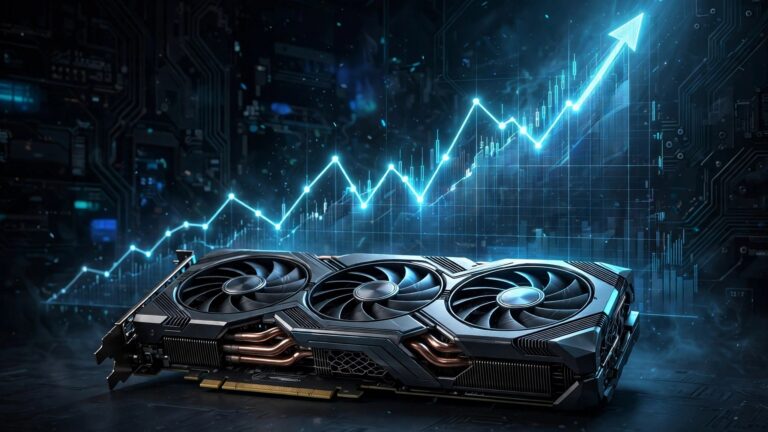
A graphics card firmware update is supposed to make your GPU better. For some owners of ASRock Radeon RX 7900 cards, the latest VBIOS update did the opposite. After installing it and rebooting, their cards simply stopped working.
The reports started piling up on Reddit, and The FPS Review picked up the story on November 6, 2026. The update itself has now vanished from ASRock’s site in a strange way. It is still listed, but the download link leads nowhere. That dead link tells its own story, and it is not a reassuring one.
This is the kind of update that punishes the careful user. The people who hit this problem did nothing wrong. They saw a new firmware release from their card maker, installed it the normal way, and lost a working graphics card. If you own one of the affected models, the smart move right now is to do nothing until ASRock explains what went wrong.
What Owners Are Reporting
According to The FPS Review, owners of three ASRock models report that their cards no longer work after installing the new VBIOS and rebooting. The reports surfaced on Reddit and were picked up by VideoCardz before reaching The FPS Review. The update first appeared a couple of weeks ago and reached ASRock’s global download pages on October 29, 2026.
The pattern in the reports is consistent, and that consistency is what makes this story hard to dismiss as a few bad flashes:
- The cards worked fine before the update. Owners installed the new firmware on healthy, working cards.
- The failure shows up after a reboot. The update installs, the system restarts, and the card does not come back.
- The update is now unreachable. ASRock still lists the VBIOS on its site, but the download link returns a 404 error.
- Support is responding case by case. Owners who contact ASRock directly are getting support guidance, which suggests the company knows something went wrong.
We have not tested this update ourselves, and we are not presenting any of these reports as our own findings. Every detail here comes from the user reports and the coverage by The FPS Review, and we link the source at the end of this article.
Which Cards Are Affected
The reports name three specific ASRock models. All three are built around AMD’s RDNA 3 flagship chips, the RX 7900 XT and RX 7900 XTX. If your card is not on this list, there is no evidence so far that this update affects it, but the same caution still applies to any VBIOS flash.
| Model | GPU | Reported Problem |
|---|---|---|
| RX 7900 XT Phantom Gaming | RX 7900 XT | Card stops working after reboot following the VBIOS update |
| RX 7900 XTX Phantom Gaming | RX 7900 XTX | Card stops working after reboot following the VBIOS update |
| RX 7900 XTX Taichi | RX 7900 XTX | Card stops working after reboot following the VBIOS update |
It is worth noting what is missing from the list. No reports so far name ASRock’s other RX 7000 cards, and there is no sign that AMD’s reference cards or other board partners are affected. This looks like an ASRock-specific firmware problem, not a wider AMD issue. That distinction matters, because it narrows the risk to a small group of owners rather than every RX 7900 card on the market.
How Some Owners Recovered Their Cards
Not every affected card is dead for good. Some owners got their cards back, and the recovery path they used is worth knowing about, because it draws a clear line between a fix you can try at home and a repair that needs professional tools.
The lucky ones were able to use ASRock’s own ASRVBFlash 1.0.5 utility to reflash their cards with the older firmware. Once the old VBIOS was back on the card, it worked again. That is the best-case outcome, and it suggests the bad update did not physically damage the hardware in those cases. It corrupted the firmware, and replacing the firmware fixed it.
For the less fortunate owners, the options get harder:
- Service center repair. The card goes back to a service center in the hope that technicians can revive it.
- EEPROM programmer. Owners with the right hardware can reprogram the card’s firmware chip directly. This is not a normal household tool, and it is not a job for a first-timer.
- A community-shared VBIOS. One Reddit user posted a link to a working VBIOS file, which gives affected owners another recovery route if they know what they are doing.
Here is the important warning that comes with all of this. The FPS Review reports that users are advised to contact ASRock before taking further action on their own, in order to avoid voiding their warranty or having an RMA request rejected. That advice is worth following. A do-it-yourself reflash might save the card today and cost you the warranty tomorrow. Talk to ASRock first, get their guidance in writing if you can, and only then decide whether to reflash it yourself.
What ASRock Has Done So Far
ASRock has not published a public statement explaining the problem, at least not yet. What the company has done is quieter, and readers can judge for themselves what it means.
The VBIOS update is still listed on ASRock’s website, but the download link is dead. Clicking it returns a 404 error. Pulling a download without removing the listing is the classic shape of a quiet withdrawal. The company has not confirmed that the update was pulled because of the bricking reports, but the timing lines up, and a working download link would still be there if nothing were wrong.
Meanwhile, owners who contact ASRock support directly are receiving guidance. That tells us two things. First, support staff have something to say about this, which means the issue has reached them through official channels. Second, the guidance is being given one owner at a time rather than published as a general notice, which leaves everyone else guessing.
The gap between those two facts is the real problem. A firmware update that can kill a graphics card deserves a public notice, not a dead link and private support replies. Owners of the affected models need to know whether the update is unsafe, whether a fixed version is coming, and what ASRock will do for cards that are already bricked. Until that notice appears, the safest reading is simple. Do not install this VBIOS update, and do not go looking for a copy of it elsewhere.
What If You Already Installed the Update?
If your card is still working after the update, do not panic, but do not ignore it either. Back up anything important, note down which VBIOS version is currently on your card, and keep an eye on ASRock’s support pages for an official statement. A card that survived the update may be fine, but you should know exactly what is installed on it before you change anything else.
If your card stopped working after the update, work through these steps in order:
- Contact ASRock support first. Explain that the card failed after the VBIOS update, and ask for their guidance before you touch the firmware again. This protects your warranty and your RMA options.
- Do not keep power-cycling the card. Repeated failed boots will not fix a firmware problem, and they add stress to hardware that is already in a bad state.
- Check whether a second GPU or integrated graphics is available. A working display output is what makes a reflash possible, because the flash utility needs a running system to talk to the dead card.
- Only consider a manual reflash after ASRock’s reply. The ASRVBFlash utility and the older firmware can restore a card, but only attempt it once you know where you stand on warranty.
- Keep records of everything. Save the support ticket, the update version, and the date you installed it. If this becomes a warranty claim, that paper trail is your evidence.
If you are comfortable with driver-level recovery work in general, our clean GPU driver install guide covers the safe way to remove and reinstall graphics drivers, which is a useful skill to have while you sort out a card that is misbehaving. But be clear about the difference. A driver reinstall fixes software. A bricked VBIOS is a firmware problem, and it needs a firmware solution.
Why a VBIOS Update Can Brick a Card
For readers who have never flashed a VBIOS, it helps to understand why this kind of update carries more risk than a driver update. A graphics driver is software that runs on top of Windows. If it breaks, you can boot into safe mode, remove it, and install a different version. A VBIOS is firmware that lives on the card itself. It is the first code the card runs when the system powers on. If that firmware is bad, the card may never wake up far enough for the system to talk to it at all.
That is why the recovery options look the way they do. Reflashing with a utility like ASRVBFlash works when the card is still visible to the system in some form. An EEPROM programmer works when it is not, because it writes directly to the firmware chip and bypasses the card’s own startup code. And a service center exists for everyone in between.
It is also why the usual advice around VBIOS updates is conservative. Unlike drivers, which bring regular performance and compatibility improvements, VBIOS updates are rare and usually fix something specific. If your card is working fine and the update notes do not describe a problem you actually have, there is often no reason to install it. That rule applies double right now to ASRock RX 7900 owners.
Regular monitoring helps you catch card problems early in general. Our guide to checking GPU temperature shows how to watch the numbers that warn you before a card gets into trouble, and it is a good habit to build even when no firmware scare is in the news.
What This Means for RX 7900 Owners
The short version is simple. If you own an ASRock RX 7900 XT Phantom Gaming, RX 7900 XTX Phantom Gaming, or RX 7900 XTX Taichi, do not install the latest VBIOS update. The download link is already dead, which should stop most people, but copies of firmware files have a way of circulating. Do not install one from a forum or a file host, no matter who vouches for it.
If your card is already affected, contact ASRock support before anything else. The recovery paths exist, from the ASRVBFlash utility to a service center repair, but the order matters. Support first, reflash second. That order protects your warranty and gives you a documented case if the card needs to go back.
The wider lesson is one that PC builders learn the hard way again and again. Firmware is not a driver. It runs before anything else, and a bad flash can take a working card offline in a way no software fix can reach. Treat every VBIOS update as a decision, not a routine click, and read the reports before you install. This time, the reports say stay away.
AMD owners who want to get more out of their cards without touching firmware can look at safer software-side options instead. Our guide to unlocking AMD Fluid Motion Frames 3 on RDNA 3 and RDNA 4 cards covers a registry-based frame generation unlock that does not involve flashing anything.
Source: The FPS Review, reporting user reports from Reddit via VideoCardz.