Pokemon Emerald Gets a Gorgeous HD-2D Remaster on PC With Bravely Emerald
Pokemon fans, this one is special. A fan developer has turned Pokemon Emerald into a full HD-2D game on PC, and you can download it right now. The project is called Bravely Emerald, and it rebuilds the 2004 Game Boy Advance classic with real-time lighting, depth blur, weather effects and a camera you can tilt, while keeping the game itself exactly as you remember it.
It is the latest in a long run of fan projects that keep classic games alive on PC, and it might be the prettiest one yet. Here is everything it changes, what it keeps, and how to run it.
What Bravely Emerald Is
Bravely Emerald is a fan remake of Pokemon Emerald in the HD-2D style made popular by Square Enix games like Octopath Traveler and Triangle Strategy. The developer, marcoscodas, released the project on GitHub in mid-November 2026, and it is already turning heads.
The key detail is how it works under the hood. Bravely Emerald is built from a decompiled version of Pokemon Emerald, compiled into a native 32-bit program for PC. A small layer built on SDL2 and OpenGL stands in for the original Game Boy Advance hardware. That means it is not an emulator. It is the game itself, rebuilt to run natively on Windows and Steam Deck, with the same story, the same maps and the same saves.
Think of it as the difference between playing a game through an emulator and playing a native PC port. The game logic is the original game, but the presentation layer is brand new, and that is where all the visual magic happens.
A New Look for Hoenn
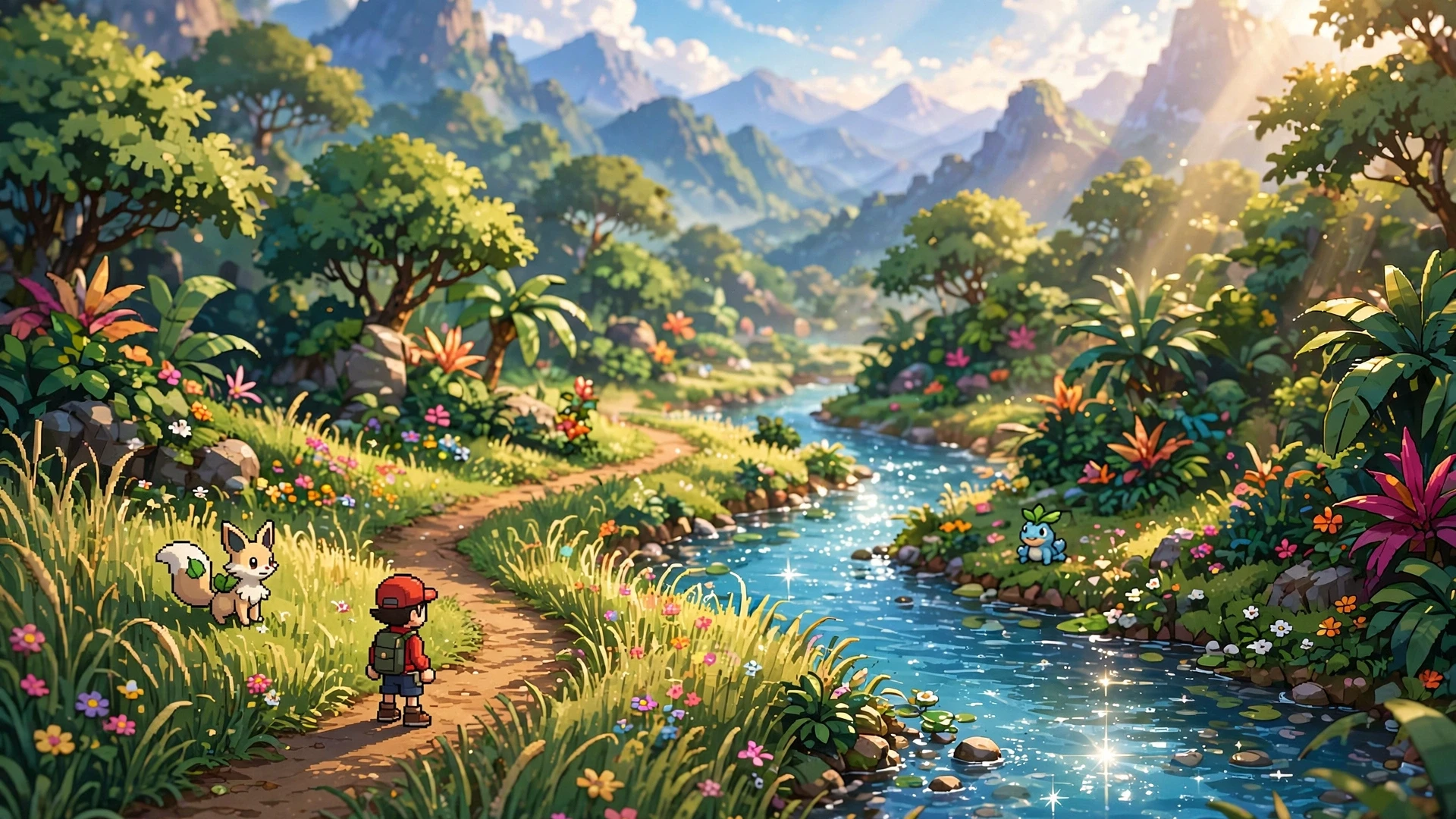
The biggest change is the new 3D look. Hoenn now looks like a small, lit diorama instead of a flat grid of pixels. The mod adds:
- Real sun shadows, with a real-time shadow map and soft shadows under characters.
- Sun and moon rays that change with the time of day.
- Depth blur that follows the scene, plus bloom, colour grading and a soft vignette around the screen edges.
- Relief on floors, walls and sprites, so flat pixel art picks up a real sense of depth.
- A tiltable camera, so you can change the viewing angle and see the world from a better vantage point.
The world itself is full of small touches. Trees and plants sway in the wind, tall grass bends as you walk through it, new flowers appear across the map, and water picks up bright light glints. These details sound small on their own, but together they make the old pixel art feel alive in a way the original never could.
The effect is closest to the official HD-2D remasters Square Enix has released on PC and consoles over the past few years. Same idea, same warmth, applied to a game that never got an official remake of its own.
Weather, Nature and Sound
Bravely Emerald does not stop at lighting. The project adds a full set of weather and nature effects that change how Hoenn feels from route to route:
- Rain that leaves the ground wet, with streaks, mist and splashes.
- Pollen drifting through the air, fireflies at night and falling leaves.
- Ambient sounds that fit each place: wind, rain, waves, birds, crickets, thunder and water dripping in caves.
You can change the sound level and how often these ambient sounds play, so the audio stays in the background instead of taking over. It is a subtle addition, but it does a lot for the mood. Walking through a rainy route in Petalburg Woods now sounds like walking through a rainy forest, not like walking through a silent grid.
Battles and Menus Get the Same Treatment
Battles get their own set of upgrades. The 3D world behind each fight becomes blurred and darker, which helps the Pokemon, health bars and text stand out. Attacks create bright flashes and glowing effects based on their type, and strong hits can shake the screen.
The menus have been reworked too. Panels can look like frosted glass, while health and EXP bars move more smoothly. The menu cursor now has a glow and a small trail, and you can pick button icons that match either the original GBA layout or the Steam Deck controls. There is a new title screen as well, and its intro uses a bright flash to turn the old flat image into the new HD-2D view.
None of this changes how battles play. The turn-based combat, the type matchups and the team building are all untouched. The remake is purely visual, which is exactly the right call for a game whose mechanics still hold up today.
Performance, Settings and Frame Rate
Every effect in Bravely Emerald has its own setting in the in-game options menu, with Off, Low, Medium and High options. If you turn all of them off, you get the plain old look back. That makes the project friendly to older PCs, since you can dial the visuals up or down to match your hardware.
You can also change the screen size, the camera angle and the target frame rate. The game supports both 30 and 60 FPS. The original ran at a locked pace on GBA hardware, so the smoother 60 FPS option is a genuine upgrade for anyone replaying the game on a modern display.
| Bravely Emerald at a glance | Details |
|---|---|
| Project | Bravely Emerald, a fan HD-2D remake of Pokemon Emerald |
| Developer | marcoscodas |
| Platforms | Windows and Steam Deck (Linux build available, untested on real hardware) |
| Base | Decompiled Pokemon Emerald, built as a native 32-bit program (not an emulator) |
| Price | Free, non-commercial fan project |
| Frame rate | 30 or 60 FPS, selectable in the options menu |
| First build | 30 to 60 minutes, needs about 15 GB of free disk space |
How to Play It on PC and Steam Deck
The easiest way to get Bravely Emerald is the builder, a small program with a Windows 95 style look. It carries the project files inside it, so you only need your own ROM and an internet connection. You can download it from the latest release on the Bravely Emerald GitHub page: BravelyEmeraldBuilder-win.zip for Windows, or the .tar.gz archive for Linux and SteamOS.
The setup works like this:
- Pick your Pokemon Emerald ROM file.
- Pick a folder to build the game in.
- Tick the box that allows the downloads, then press Build.
The first build downloads the compiler tools and takes 30 to 60 minutes, and it needs about 15 GB of disk space. After that, the game is ready to play. You can also build it by hand if you prefer, with separate guides for Windows and Steam Deck in the project docs.
One important note: the repository holds no game data. You build the game yourself from a dump of your own cartridge, and the result is for your own use. The developer asks players not to share builds, since they contain Nintendo data. That is standard practice for this kind of fan project, and it is worth respecting.
What It Is Not
A few things are worth clearing up before you jump in. Bravely Emerald is a non-commercial fan project, and Pokemon and its game content belong to Nintendo, Creatures Inc. and GAME FREAK inc. It is not an official remake, and it does not add new story content, new Pokemon or new areas. The game underneath is the same Emerald you played in 2004.
The project is also still young. It works on Steam Deck and on Windows, but the Linux builder has not been tried on real hardware yet, and some things have not been checked on every machine. The developer keeps a list of known issues in the project docs and welcomes bug reports, so expect a few rough edges while the project matures.
There is also an honest note in the project credits: the Deck and Windows work was written with an AI coding assistant (Claude Code) under the developer’s direction. The project itself is built on the pret/pokeemerald decompilation, the pokeemerald-multiplatform work by gradenGnostic, and HctrRB’s PS Vita port, which brings in features from Emerald 3DS by ZallaxDev. Kudos to the devs behind all of those pieces, because none of this exists without them.
Why This One Stands Out
Fan ports and remakes have become a steady beat in PC gaming news, and we have covered plenty of them here, from the unofficial Pokemon Legends: Arceus PC port to the Zelda: Ocarina of Time remake on PC and the Super Mario Odyssey PC port. Most of those projects bring a console game to PC for the first time. Bravely Emerald is different: Emerald was always playable on PC through emulation, but nobody had rebuilt it like this.
That is what makes it worth your time. It does not just make an old game run on new hardware. It reimagines how the game looks and sounds while leaving the game itself alone. The HD-2D style fits Emerald perfectly, because Hoenn was always a bright, colourful region that the GBA hardware could only hint at. Now you can see it the way it always felt in your head.
If you have a copy of Emerald and a free evening, this is an easy recommendation. Set aside an hour for the first build, turn the effects up, and take the long way through Route 101. Hoenn has never looked this good. DSOGaming first reported the release, and the project page has the download and full feature list.