Dark Souls 1 RTX Remix Mod Brings Full Path Tracing to Prepare to Die Edition
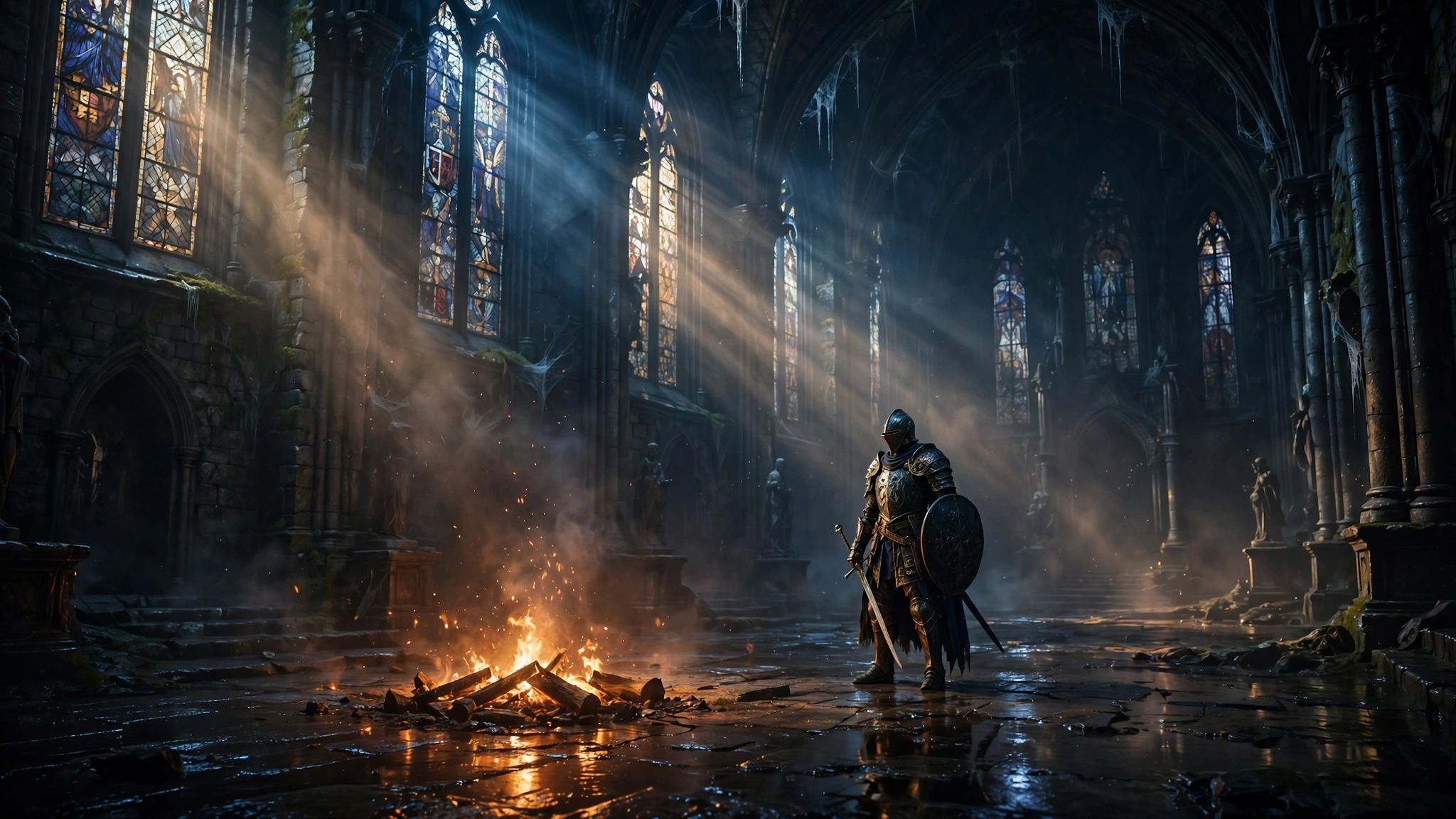
Dark Souls fans, the time has come. If you have ever wanted to see Lordran the way it was meant to look, with real light bouncing off every stone and every flame casting shadows that actually behave like shadows, your moment is here. Modder gabdeg has just released an RTX Remix mod for the first Dark Souls game, and it adds full path tracing to the whole game. Yes, the whole game. And yes, it looks as good as it sounds.
I have lost count of how many times the community has dragged this 2011 classic into the modern era. We have had resolution fixes, texture packs, and frame rate unlocks. But this is different. This is not a coat of paint. This is a new lighting engine for a game that has always deserved one. DSOGaming reports that the mod rebuilds the game around RTX Remix, and you can grab it right now from its Nexus Mods page.
Before you rush off to download it, here is everything you need to know: what it changes, what it does not do, which version of the game it works with, and how to get it running without breaking your install.
What the RTX Remix mod changes
The heart of the mod is simple to explain and hard to pull off. It takes the original game and renders it with full path tracing through RTX Remix. That means light in Lordran now works the way light works in the real world. It bounces, it scatters, and it fills a room instead of just pointing at it.
To make that happen, gabdeg built new PBR maps from the game own assets. Surfaces now have real depth and detail instead of flat textures pretending to be stone, metal, and cloth. The mod also adds new dynamic light sources for spells, fires, and other effects, so a bonfire actually lights the room around it and a fireball actually lights the corridor it flies down.
There is more packed in here than just lighting, though. DSOGaming reports the mod also adds:
- Emissive particle rendering: glowing particles now give off light of their own, so magic and embers feel like they belong in the scene.
- RTX Remix particle effects: particle effects are rebuilt for the new renderer instead of being left behind.
- Subsurface scattering for player characters: light passes through skin the way it should, so characters look less like plastic and more like people.
- Fluid surface effects for water and mud: water and mud get proper surface simulation instead of flat, lifeless textures.
- High frame rate support through Frame Generation: the mod can generate extra frames to smooth out the experience on supported hardware.
- DLSS 5 NR support: modern upscaling support is built in for RTX cards that can use it.
- Experimental HDR10 support: HDR output is included, though it is still experimental and results may vary.
Here is the part I respect most. Through all of this, the mod keeps the game image pipeline faithful to the original presentation. The goal is not to turn Dark Souls into a different game. It is to make the game you remember look the way your memory insists it already did. Kudos to gabdeg for understanding that. Too many visual overhauls forget what made the original art direction work.
This is not a remaster
Let me be clear about this, because it matters. This is not a full remaster, and gabdeg says so himself. This is first and foremost a compatibility mod. Its job is to get every part of the game rendering with path tracing in RTX Remix, and to squeeze as much as possible out of the game base assets while doing it.
That means the mod is still a work in progress. More updates are coming, and some rough edges are expected. The known issues list on the Nexus page is honest about that. Some areas of the game can be too dark. There are culling issues. Decal skirts can show up as gaps. Particle effects can cause heavy frame rate drops, and they can sometimes appear unlit. The player light can collide with geometry. The Chameleon spell can make character textures render wrong until you reload. Fur looks too opaque.
None of that should scare you off. It is the normal state of a big mod in its first release, and the modder is still working on it. But go in with the right expectations. This is a beta quality passion project, not a finished product, and treating it like one will only lead to frustration.
Which version of the game works
Here is the one hard limit you need to know before you download anything. The mod only supports the Steam version of Dark Souls: Prepare to Die Edition. That is the original 2012 PC release, the DirectX 9 version.
It does not support Dark Souls Remastered. The remaster is a DirectX 11 title, and RTX Remix does not support it in the same way. The modder hopes to bring the work to the remaster if a suitable way to do so becomes available. Nvidia has recently shipped a Remix API mod that could be adapted, but no source code is available for it at the moment. Right now the focus is on Prepare to Die Edition, and that is where it will stay until the API route becomes viable.
So if you own the remaster and not the original, you are out of luck for now. If you own Prepare to Die Edition on Steam, you are good to go. Make sure you are running the current Steam build, because the wrong game version can cause missing lights, no sun, and other visual issues. That is the first thing to check if anything looks broken after install.
How to install the mod
Installing the mod is simple, and that is part of its charm. There is no launcher to fight with and no long setup process. Follow these steps and you will be in Lordran with path tracing in a few minutes.
- Own a legitimate Steam copy of Dark Souls: Prepare to Die Edition. Console copies cannot use this mod, and the Remastered edition is not supported.
- Start with a clean, vanilla install. Other mods, mainly DLL wrappers, may cause problems, so remove them first.
- Download the mod from its Nexus Mods page.
- Unzip the files into your game folder, making sure the DLL files sit next to DARKSOULS.exe.
- If you play with a keyboard and mouse, install Dark Souls Input Customizer and rename it to dinput8.dll.
- Back up your game files before you start, just in case you want to go back.
- Launch the game. You will find the mod settings in the rtx_comp/settings folder, and you can tweak lights and particles from the RTX Remix menus with F4 and Alt+X.
To turn the mod off, just rename d3d9.dll to something else or remove it from the folder. That is all there is to it. No uninstaller needed, no registry changes, no drama.
One more thing worth knowing. DSFix is not supported, because the rendering changes are too deep for it. Most of its features are already handled by the mod proxy anyway. Texture mods in the DSFix style are supported through the tex_override folder, but those modded textures will lack PBR maps unless you make PBR versions yourself. And because all rendering is replaced by RTX Remix, most other graphical mods will not work with it. If an essential mod of yours does not work, the modder invites suggestions in the issues tab on the Nexus page.
Performance tips if it runs slowly
Path tracing is heavy, and this mod is still being optimized. Performance is a work in progress, so if the game runs slowly on your rig, do not panic. There are a few things to try before you give up.
First, open the RTX Remix quality settings and lower them to High or Medium. That alone can win back a lot of performance. From there, you can dig deeper. The modder suggests enabling settings like SHaRC, or disabling the water ripple displacement effect. If your problem is CPU related, adjusting the culling options might help.
Also, double check your game version. The current Steam build is the officially supported one, and the wrong version is the most common cause of missing lights, no sun, and heavy culling issues. If the game looks broken rather than slow, that is almost certainly the cause.
I will be honest with you. You will want a modern RTX card to get the most out of this. Path tracing on a 2011 game still needs serious GPU power, and Frame Generation plus DLSS 5 are doing a lot of the heavy lifting here. That is the trade off for lighting this good. If your card can handle it, the result is worth it.
More path tracing mods worth trying
Dark Souls is not the first classic to get the RTX Remix treatment, and it will not be the last. If this mod gets you hooked on path traced replays, there is a whole library of them out there. Modders have released path tracing mods for Black Mesa, Star Wars Republic Commando, Need for Speed Carbon, NFS: Underground, Manhunt, BioShock, NFS: Underground 2, Star Wars Jedi Outcast, and Vampire: The Masquerade Bloodlines.
There are also demos for Deus Ex, Mirror Edge, and Tomb Raider, plus RTX Remix mods for Painkiller, Left 4 Dead 2, Unreal Tournament 2004, Unreal Gold, Half-Life, Duke Nukem 3D, Fallout: New Vegas, GTA 2, Bloodborne, Doom, Doom 2, Quake, GTA 4, and Serious Sam. A beta release of a Dark Souls 2 path tracing mod is out there too. We have covered the GTA 4 RTX Remix update ourselves, and it shows how far this whole scene has come.
The Dark Souls community has always been one of the most dedicated modding scenes in PC gaming. Fans already brought Dark Souls 2 and 3 multiplayer back on PC after the server outage, and now the first game gets a full lighting overhaul. It is the same story we keep seeing across PC gaming. When a studio moves on, the community picks up the torch. The Cyberpunk 2077 CyberMP multiplayer mod proved the same point this week. Players build what publishers will not.
All in all
All in all, this is the kind of mod that reminds you why PC gaming is special. A single modder took a 15 year old game, rebuilt its lighting from the ground up with path tracing, PBR textures, DLSS 5, and frame generation, and gave it away for free. It is not perfect. It is a work in progress, it only works on Prepare to Die Edition, and you will need a strong GPU to run it well. But it is here, it works, and it makes one of the greatest games ever made look like it was released yesterday.
If you still have Prepare to Die Edition sitting in your Steam library, dust it off. Lordran has never looked this good, and it probably never will again until someone tops this. Grab the mod, back up your saves, and go die beautifully in the dark. Just this time, the dark will have proper lighting.
Source: DSOGaming reports the first Dark Souls got an RTX Remix path tracing mod.