Dragon’s Dogma 2 4K Texture Pack Redraws 610 World Textures at Up to 4x Resolution
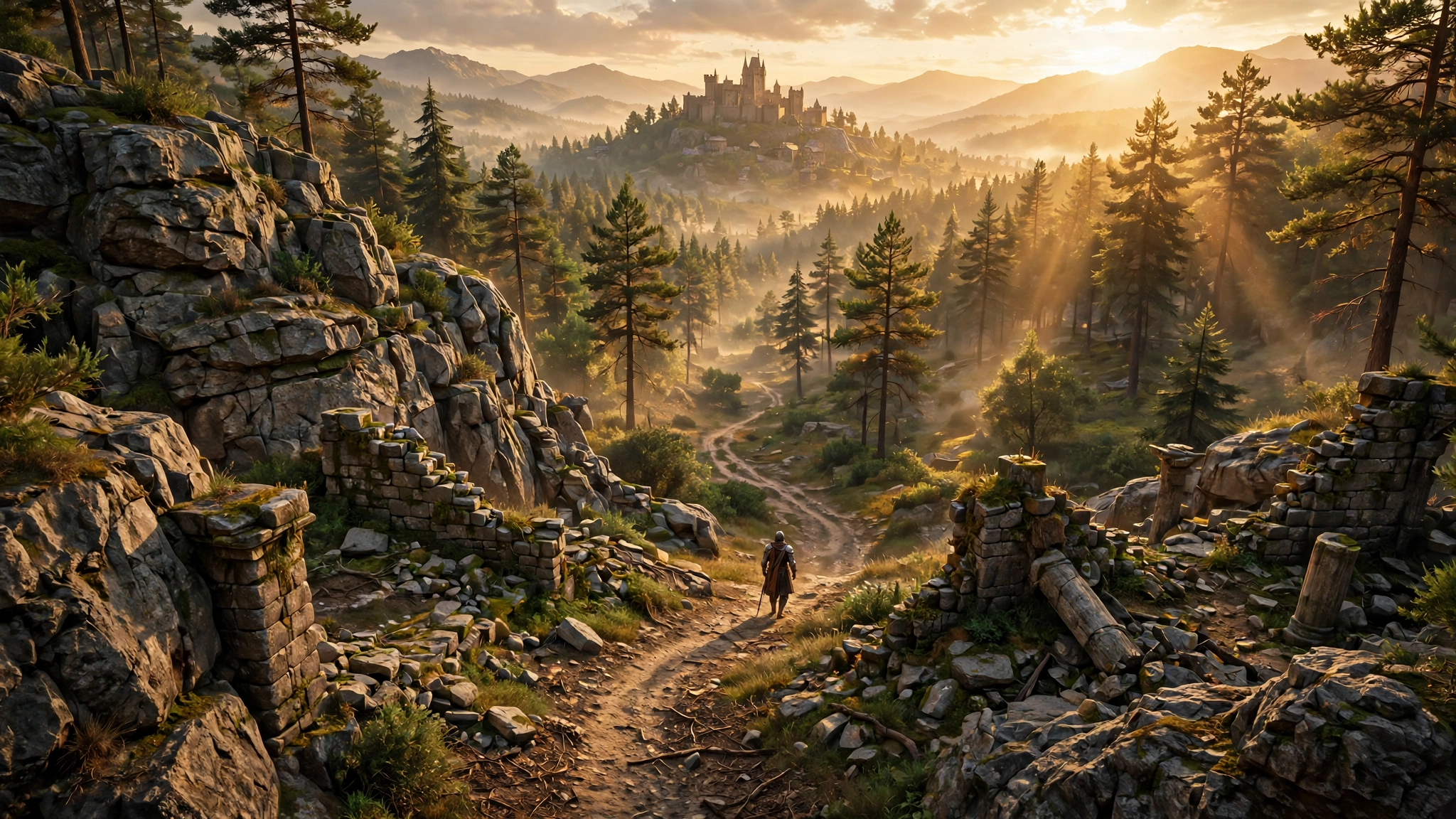
Dragon’s Dogma 2 has always looked good from a distance. Walk up close to a cliff face or a stone wall, though, and the illusion starts to break. Textures go soft, detail smears, and the world feels a little less real than it should. A new mod from DeathTheReaper9 fixes exactly that problem, and if you are still playing the game on PC, this one is well worth your download time.
The DD2 4K Texture Remaster Project redraws 610 environment texture sets at up to four times their original resolution. The full pack weighs in at 12.2 GB across three parts, and it targets the world around you rather than the characters in it. Rocks, cliffs, roads, walls, wood, roofs, plants, and props all get the treatment, while faces, armor, weapons, monsters, and the UI stay exactly as Capcom shipped them.
DSOGaming reports that the mod launched on Nexus Mods on November 14, 2026, and it already looks like one of the most useful visual upgrades the game has received since launch. You can find the download on its Nexus Mods page, with comparison screenshots showing just how much crisper the world becomes.
What the 4K texture pack changes
Most of Dragon’s Dogma 2 ships its world textures at 1024 or 2048 pixels, and the game keeps only a small streaming budget for them. That is why rock, ground, walls, and wood can look soft up close and sharpen late as you walk toward them. This pack redraws those textures at much higher resolution so the detail is there from the start.
- 593 color textures redrawn: rock and cliff surfaces, ground and path materials, stone and brick walls, wood, roofs, fences, carts, crates, barrels, ropes, cloth on props, plants, and shrubs.
- 296 matching maps: 204 normal maps and 92 height maps, upscaled to the same size so lighting and surface relief match the new color textures.
- 709 files now at 4096 x 4096: the bulk of the redrawn set ships at full 4K resolution.
- Sharper ground under your feet: the open world ground is baked around the player from layer textures rather than drawn as a normal texture, so the optional Engine Config doubles that bake resolution and makes nearby ground look about 1.5 to 2 times sharper.
- Optional 8K and 16K files: a few textures were already 4K but stretched across large surfaces, such as rocks, so an optional file raises the 14 most visible rock and ground surfaces to 8192 or even 16384 pixels.
The mod creator also cleaned up plant and leaf textures with see-through edges, redrawing them on a flat key color so no pale rims appear around leaves. The redraws keep the original colors, shapes, and painted style, so Vermund still looks like Vermund, only sharper.
What it does not touch
This pack is deliberately focused. It does not change characters, faces, armor, weapons, monsters, the UI, or visual effects. That focus is a strength, not a limitation. It means the mod stays compatible with most other visual mods and does not risk breaking the look of the things you interact with most. If you want character or weapon texture upgrades, you will need a different mod for those.
How the textures were made
The color textures were redrawn with AI image models, specifically Qwen-Image 2.1 and Google’s Nano Banana 2.1. The normal and height maps were upscaled with dedicated upscaling models that keep the original shapes, including 4xNomos8kSC, Swin2SR, 4xTextures_GTAV, 4x-Normal-RG0-BC7, and 1x_BCGone_Smooth. The goal throughout was the same world with more detail, not a different world.
That approach matters because AI redraws can drift away from the original art direction if they are not guided carefully. Here the creator kept the original colors and painted style intact, and the comparison screenshots on Nexus Mods back that up. The result reads as a sharper version of the game you already know, not a reimagining of it.
Which version to download
The pack comes in several editions, and the right one depends on your graphics card’s video memory. Pick by VRAM, and if you run out of memory, switch down to the 2K Edition. That can also happen if you run other graphics mods or texture packs alongside it.
| Your graphics card VRAM | What to download |
|---|---|
| 8 to 10 GB | 2K Edition (3.6 GB download, 4.3 GB installed) plus the Engine Config |
| 12 GB or more | Part 1, Part 2, and Part 3 (12.2 GB total) plus the Engine Config |
| 16 GB or more | Add the optional High 8K (1.1 GB) or Ultra 16K (4.4 GB) file on top, but never both |
The 2K Edition caps every texture at 2048 pixels, so it is the safe pick for 8 GB cards. The full 4K edition installs to about 14.6 GB, so make sure you have the disk space before you start. The mod was tested on native 4K with DLAA at max settings, so if you play at a lower resolution or use upscaling such as DLSS or FSR, you can usually step up to a higher edition than the table suggests.
The optional Engine Config is the key piece
The texture files alone are only half the story. On its own, the game keeps only about 2 GB of video memory for streamed textures, whatever the texture option in the menu says, so high resolution textures can load late or not at all. The optional Engine Config fixes that, and it is the part I would not skip.
The config reads your card’s memory when the game starts and picks a streaming budget automatically: 8 GB on cards with 20 GB or more, 6 GB on 16 GB cards, and 4 GB on 12 GB cards, while smaller cards keep the game’s own value. You can also set 4, 6, or 8 GB by hand. It adds sharper texture detail at distance, picks model and texture detail for a 4K picture even with DLSS or FSR on, and doubles the ground bake to 4096 pixels. Everything is adjustable from the REFramework menu under Script Generated UI, then DD2 Texture Remaster, with a live status readout of the values the game is actually using.
One tip from the creator: since the textures are upscaled and improved, turn down the in-game sharpness setting a little once the pack is installed. The extra detail does not need the extra sharpening, and the image will look cleaner without it.
How to install the texture pack
You need two things before the textures will load: the latest nightly build of REFramework, and its loose file loader switched on. Here is the full process.
- Install REFramework: download the latest nightly REFramework.zip from GitHub and copy only
dinput8.dllnext to DD2.exe. - Enable the loose file loader: launch the game once, open the REFramework menu with Insert, go to LooseFileLoader, and enable the loose file loader.
- Download the right edition: pick Parts 1 to 3, or the 2K Edition, plus the Engine Config, and the optional 8K or 16K file if your card qualifies. Never install the 2K Edition together with Parts 1 to 3.
- Install with Fluffy Mod Manager: add the archives and enable them in this order: Parts 1 to 3 or the 2K Edition first, then High 8K or Ultra 16K if you use one, then the Engine Config last.
- Or install manually: close the game, open the game folder through Steam by right-clicking the game, then Manage, then Browse local files. Extract the archives into that folder in the same order, letting later ones overwrite earlier ones, then start the game.
To uninstall, remove the archives in Fluffy Mod Manager or run the uninstaller batch file included in every archive. If you installed the Engine part manually, also delete the reframework\data\DD2_Texture_Remaster_Engine.json file and its log. Two warnings are worth knowing: other texture mods that replace the same files will conflict, with whichever is installed last winning, and if another mod also sets the texture streaming budget or sharpness, set the Engine Config’s matching option to Off or Game setting so only one mod is in charge.
Is it worth downloading
All in all, this is the kind of mod that makes a second playthrough feel fresh without changing a single quest. Dragon’s Dogma 2 is a game about walking through a world, and the world is exactly what this pack improves. The 12 GB download is chunky, and the full 4K edition really does want a 12 GB card or better, but the 2K Edition exists precisely so players on smaller cards are not left out.
Pair it with a quick look at our PC graphics settings guide if you want to balance the extra detail against performance, and if you are fighting hitching rather than soft textures, our shader compilation stutter fix covers that side of things. Mod coverage like this is also why the ray tracing overhaul mod for Red Dead Redemption 2 remains one of our most read posts: a good mod can do more for a game than a patch. Kudos to DeathTheReaper9 for the work here. If you are heading back to Vermund, grab the pack, install the Engine Config with it, and enjoy the sharper view.