$32,000 of RTX PRO 6000 GPUs Saved From Meltdown by a Routine Cable Check
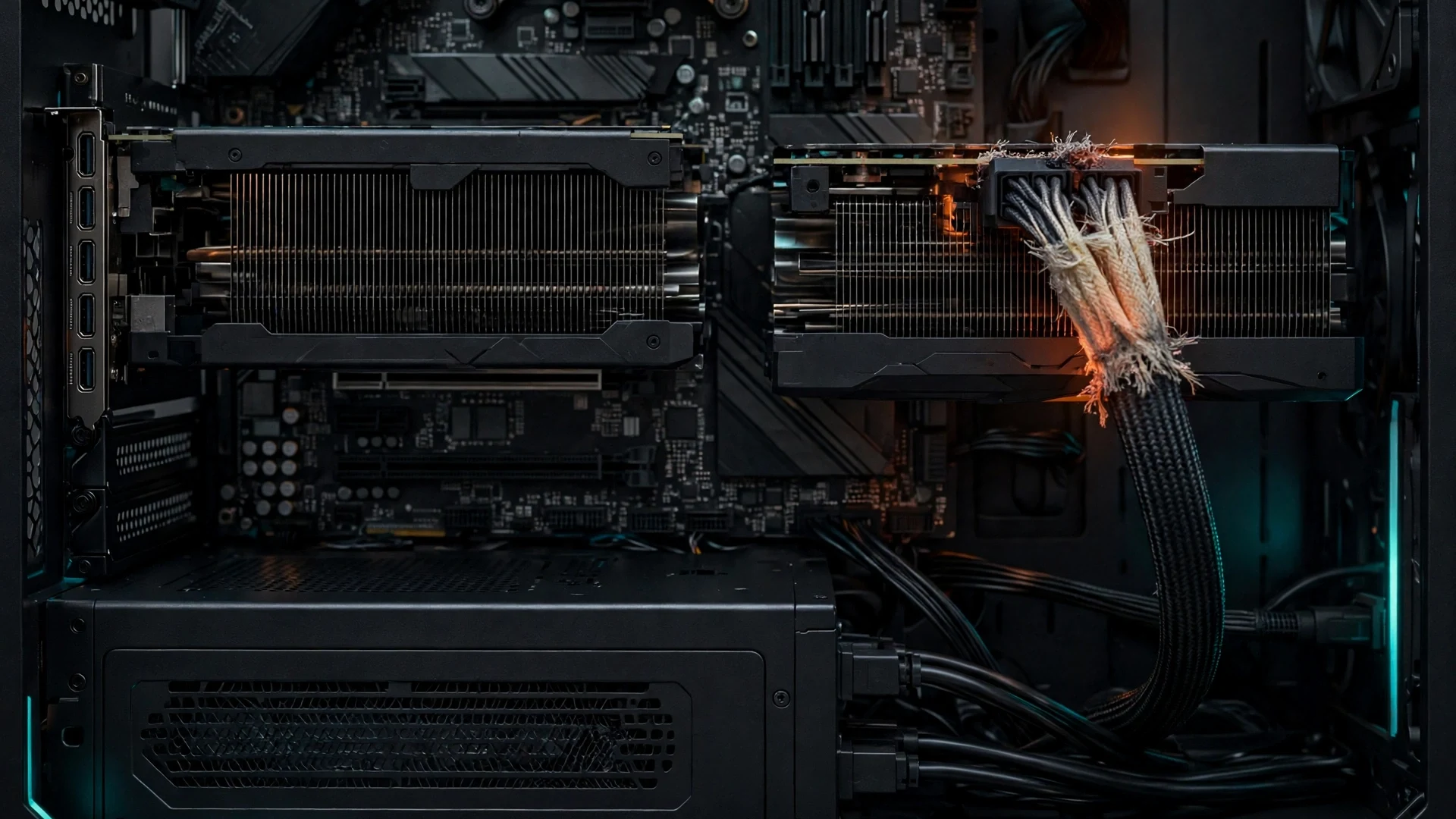
A routine peek inside a workstation just saved $32,000 worth of graphics cards from a possible meltdown. The owner of two NVIDIA RTX PRO 6000 GPUs spotted frayed, heat-damaged sleeving on both 12V-2×6 power cables during a visual inspection, and caught the problem before it turned into a short circuit or a fire.
The incident is a warning for every PC owner running high-end hardware. A cable that looks fine from the outside can be cooking from the inside, and the first sign of trouble is often nothing more than a pale, brittle patch of fabric sleeving near the connector.
What Happened Inside the Workstation
The case surfaced on the r/PcBuild subreddit, where user u/Doomslayer606 shared close-up photos of the degraded cables. Wccftech picked up the story on November 7, 2026, and the photos tell the story clearly: the braided sleeving on the power leads was coming apart right at the terminal heads.
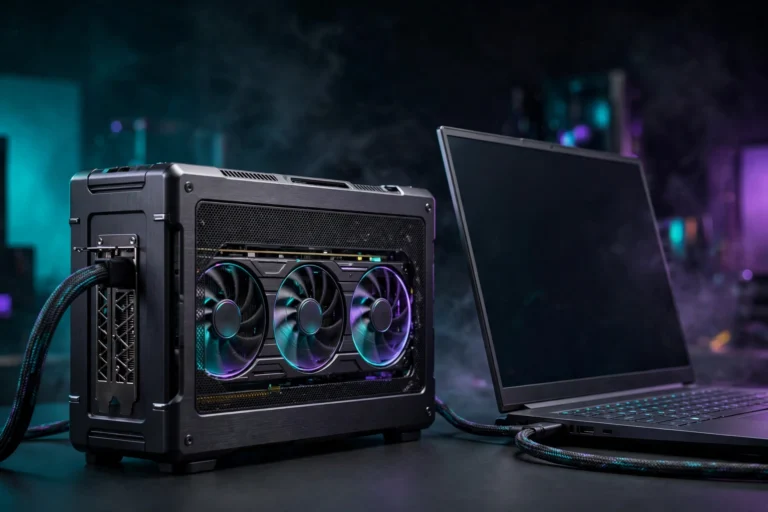
Both RTX PRO 6000 cards were running in a single workstation, powered by a Seasonic PRIME TX-1600 Noctua Edition power supply. That is a top-tier 1600W unit, which makes the incident more surprising. This was not a cheap PSU cutting corners. It was premium hardware, running a heavy sustained workload, and the cables still took damage.
Each RTX PRO 6000 carries a price tag of around $16,000, and the owner runs the pair for local AI models. With two cards installed, there is no need to rent cloud compute from companies like OpenAI or Google. That makes the hardware even more valuable to its owner, and a failure would have been far more than an expensive repair. Workstation-class GPUs like these are also hard to replace right now, because data centers are absorbing much of the available supply during the ongoing DRAM shortage.
The Workstation at a Glance
| Component | Detail |
|---|---|
| Graphics cards | 2x NVIDIA RTX PRO 6000, around $16,000 each |
| Power supply | Seasonic PRIME TX-1600 Noctua Edition, 1600W |
| Power connector | 12V-2×6, rated for up to 600W per cable |
| Workload | Sustained dual-GPU compute, local AI models |
| Damage found | Braided sleeving frayed, pale and discolored at the terminal heads |
| Scope | Both cables affected, at both the GPU and PSU ends |
What the Damage Looked Like
The photos show heavy thermal wear on two specific power leads directly behind the 600W connector. The outer braided fabric looks frayed, pale and discolored, the classic signature of a cable that has been running hot for a long time.
Three details from the report stand out:
- Both cables were affected. The wear was not limited to one wire or one card. Both 12V-2×6 cables showed identical degradation at both ends.
- One cable was worse than the other. The damage was uneven, which points to an imbalance rather than a single faulty part.
- The connectors themselves looked fine. The inner wire insulation and the plastic connector shells showed no outward signs of damage or scorching. The sleeving took the heat first, and it acted as an early warning.
That last point matters. If the owner had waited for visible scorching on the connector, the damage could already have reached the GPU or the PSU. The frayed sleeving was the alarm bell, and it went off in time.
Why the Cables Overheated
Wccftech reports that the damage likely comes from an internal current imbalance. Under sustained dual-GPU compute workloads, even tiny differences in seating or contact resistance can push the current unevenly across the six 12V lines in the connector. A few lines end up carrying more than their share, they run hotter, and the heat slowly degrades the sleeving around them.
This is not a new failure mode. The 16-pin 12VHPWR connector on the RTX 4090 made headlines for melting in 2022 and 2023, and its revised 12V-2×6 successor was designed to fix the seating and sensing problems. The revised connector is better, but this incident shows it is not a guarantee. A connector can be fully seated and still develop an imbalance if the contact resistance differs slightly across the pins.
It is worth stressing what is not known here. Nobody has published lab measurements of the current draw on each pin in this workstation, and the owner has not reported a root cause beyond the visible damage. The imbalance explanation is the most plausible reading of the evidence, and it matches how these connectors fail, but it remains an inference from the photos and the pattern of wear, not a measured result.
Why RTX 5090 Owners Should Pay Attention Too
The RTX PRO 6000 is a workstation card, but the lesson applies directly to gaming GPUs. The RTX 5090 uses the same 12V-2×6 connector and can pull up to 600W through a single cable. Wccftech notes that owners of RTX 5090 cards should pay attention to their cables and connectors as well, because the same failure mode applies.
That warning lands at an awkward time for buyers. RTX 5090 prices have already climbed sharply since launch, so a melted connector that takes the card with it would be a very expensive accident. A replacement card is not just costly, it may also be hard to find at a fair price.
High-wattage GPUs are also becoming more common, not less. As cards push past 500W and multi-GPU compute setups spread beyond data centers into home workstations, the power delivery path deserves the same attention as the GPU itself. The cable is a component, not an afterthought.
How to Check Your Own 12V-2×6 Cable
A visual inspection takes five minutes and costs nothing. Do it with the PC powered off and unplugged, and do it regularly if your card draws 450W or more.
- Power down and unplug. Shut the PC down, switch the PSU off, and pull the power cord. Never inspect a live connector.
- Remove the side panel and find the connector. Trace the 16-pin cable from the top edge of the GPU back to the PSU. Look at both ends.
- Check the sleeving. Look for fraying, pale or yellowed fabric, brittle strands, or any spot where the sleeving has pulled back from the terminal head. Compare the cable with a new one if you have a spare.
- Check the connector shell. Look for discoloration, warping, or a burnt smell. Any of these means the cable should be replaced, not reused.
- Check the seating. Push the connector in until it clicks and sits flush, with no visible gap. A partially seated connector is the most common cause of heat buildup on 16-pin cables.
- Check for heat after use. After a heavy gaming or rendering session, shut down, wait a minute, then carefully touch the connector area. It should feel warm at most. If it is too hot to touch comfortably, treat that as a warning sign.
- Monitor your card. Learning to check your GPU temperature regularly helps you spot cooling problems early, and a card that suddenly runs hotter than usual deserves a look inside the case.
If you find any damage, stop using the cable. A frayed or discolored cable is not a cosmetic issue. It is a component that has already been stressed, and continuing to run it risks a short circuit that can destroy the GPU, the PSU, or both.
What to Do If You Spot Damage
The Reddit user did the right thing: both cables are being replaced immediately rather than risking further use. If you find similar wear, follow the same approach.
- Replace both ends of the path. If one cable shows damage, replace the cable and inspect the PSU and GPU sockets for any matching wear.
- Use the cable that came with your PSU, or a certified replacement. Third-party cables must match your exact PSU model. PSU-side pinouts are not standardized, and the wrong cable can destroy hardware instantly.
- Do not bend the cable hard against the connector. Give the cable a gentle curve with some slack. A sharp bend right at the terminal head stresses the pins and the sleeving.
- Do not keep running a damaged cable “just for now”. The damage only gets worse under load, and a failure under load is the worst time for it to happen.
- Consider a native cable over an adapter. A single native 12V-2×6 cable from a modern ATX 3.x PSU is cleaner than an adapter hanging off older 8-pin leads, with fewer joints to fail.
When choosing or upgrading parts, remember that a quality power supply is the foundation of any build. The PSU and its cables are the parts you never see once the side panel goes back on, which is exactly why they need a regular check.
The Bottom Line
Two workstation GPUs worth $32,000 survived because their owner looked inside the case and noticed a frayed cable. The damage was real, it affected both cards, and it was caught before anything melted. That is the whole story in one sentence, and it is a useful one.
The 12V-2×6 connector is an improvement over the original 12VHPWR design, but it is not immune to the same physics. High current, small pins, and sustained loads leave little margin for uneven contact. A five-minute visual inspection every few months is the cheapest insurance a high-end GPU owner can buy.
Source: Wccftech