ASUS ROG XG Station 3 Is the First Thunderbolt 5 eGPU Dock With 80 Gbps of Bandwidth
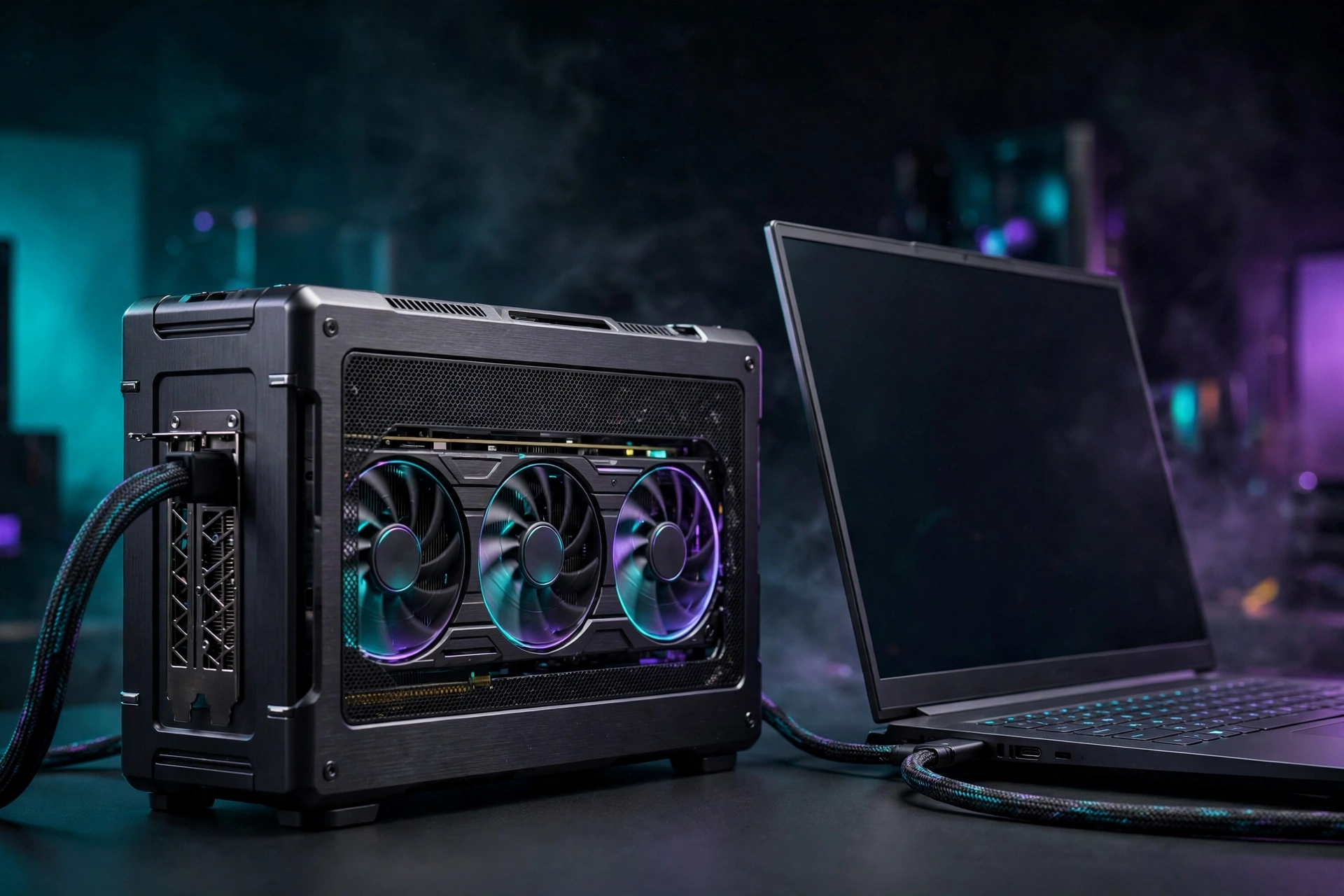
Laptop gamers just got a serious upgrade path. ASUS has launched the ROG XG Station 3, its first external GPU dock built around Thunderbolt 5, and it promises up to 80 Gbps of bandwidth for desktop graphics cards. That is twice the interface speed of the eGPU enclosures that came before it.
Here is what the new dock offers, why Thunderbolt 5 changes the math for external graphics, where the technology still falls short of a desktop, and the one catch to know about before getting excited.
What is the ROG XG Station 3?
An external GPU dock (eGPU) is an enclosure that holds a full-size desktop graphics card and connects to a laptop over a single cable. The laptop borrows the desktop card’s power, which can turn a thin ultrabook into a legitimate gaming machine without rebuilding your whole setup.
ASUS has been in this space longer than almost anyone. The original XG Station debuted back in 2007, and the XG Station 3 carries that line forward with a complete redesign. ASUS first showed the dock at Computex earlier this year, and it is now officially launched.
Why external GPUs have always been bottlenecked
To appreciate what Thunderbolt 5 changes, it helps to know why eGPUs have always underperformed their on-paper specs. A desktop graphics card normally sits in a PCIe x16 slot with enormous throughput: a PCIe 4.0 x16 slot moves roughly 256 Gbps. Every external dock in history has connected through a far narrower pipe, and the cable becomes a choke point the moment a demanding game starts streaming textures and draw calls.
That is why older docks left so much performance on the table. You could install a flagship card in a Thunderbolt 3 enclosure and watch it behave like a mid-range one, because the 40 Gbps link simply could not feed it fast enough. Enthusiasts worked around this with OCuLink, a direct PCIe cable connection popular in DIY builds, but that was never a mainstream, hot-pluggable solution. Thunderbolt 5 is the first widely supported standard to meaningfully close the gap.
Thunderbolt 5: why 80 Gbps matters
The headline upgrade is the connector. Thunderbolt 5 delivers up to 80 Gbps of bidirectional bandwidth, plus a bandwidth boost mode that pushes up to 120 Gbps for high-volume video traffic. That extra headroom matters because the cable has always been the bottleneck for external graphics.
One important caveat, straight from ASUS: the 80 Gbps is shared bandwidth, not reserved exclusively for the GPU. Here is how the new interface compares with what older docks used:
| Interface | Max bandwidth | Found on |
|---|---|---|
| Thunderbolt 3 | 40 Gbps | Older eGPU docks |
| Thunderbolt 4 / USB4 | 40 Gbps | Current eGPU docks, including the XG Station 2 |
| Thunderbolt 5 | 80 Gbps (120 Gbps boost mode) | ROG XG Station 3 |
What the 80 Gbps actually buys you
Double the bandwidth does not mean double the frame rate. It means less of the card’s potential is wasted in transit. On Thunderbolt 3 and 4 docks, high-end cards routinely lost 20 to 40 percent of their desktop performance depending on the game and resolution, with the penalty worst at lower resolutions where frame rates are highest and the interface works hardest.
With 80 Gbps, that penalty should shrink substantially, especially at 1440p and 4K where the GPU does more work per frame and leans less on the link. But keep expectations honest: 80 Gbps is still roughly a third of a native PCIe 4.0 x16 slot, and part of it is shared with displays and peripherals on the same cable. An RTX 5090 in this dock will not match an RTX 5090 in a tower. What it should do is land much closer than any Thunderbolt 4 enclosure ever managed, which is exactly the use case this product exists for.
Which graphics cards does it support?
The dock accepts the latest cards from every major GPU maker:
- NVIDIA GeForce RTX 50 series
- AMD Radeon RX 9000 series
- NVIDIA RTX PRO 6000 workstation cards
- Intel Arc GPUs
It is also fully compatible with ASUS BTF graphics cards and includes a GC-HPWR connector, so BTF cards slot in and draw power directly from the dock with no external 16-pin cable to route. That keeps the inside of the enclosure clean and the build simple.
BTF support, explained
BTF is ASUS’s cable-free building standard, where the graphics card draws power through a special connector on the motherboard side instead of dangling 16-pin cables. Inside a compact eGPU enclosure, where space is tight and airflow matters, losing that cable is a genuine quality-of-life win. The GC-HPWR connector in the XG Station 3 means BTF cards get power straight from the dock’s backplane: drop the card in, close the lid, done.
Standard cards work fine too, of course. The BTF compatibility is a bonus for builders already invested in the ASUS ecosystem, not a requirement.
Ports, charging, and displays
The XG Station 3 is more than a GPU box. It doubles as a full laptop dock:
- Two Thunderbolt 5 ports: one upstream to the laptop, one downstream for monitors or peripherals
- 140 W USB Power Delivery on the upstream port, so the dock charges the laptop while you game
- Up to three 4K displays through the downstream port via daisy-chaining
- Two USB Type-C 10 Gbps ports for accessories
The single-cable story is the real selling point here. One Thunderbolt 5 cable carries the GPU link, 140 W of charging, and display output. Dock the laptop when you get home and the whole desk wakes up: external monitors, desktop graphics, charging, all at once.
The catch: bring your own power supply
The dock does not ship with a power supply. ASUS says buyers need to provide their own SFX or SFX-L unit. That keeps the enclosure compact and lets builders reuse a PSU they already own, but it is an extra cost to factor into the total price, which ASUS has not announced yet.
There is a practical upside to the BYO approach: you choose the wattage and efficiency rating yourself instead of accepting whatever bundled unit the manufacturer picked. Pairing a high-end RTX 50 card with a quality 750 W or higher SFX unit is the sensible move, and you are not paying for a PSU twice if you already have one on the shelf.
The price question
ASUS has not announced pricing, and that is the variable the whole value proposition hangs on. eGPU docks have historically been expensive for what is essentially a PCIe slot with a fancy cable, and this one adds a power supply you must buy separately plus the graphics card itself. Before deciding anything, wait for the official price and do the full math: dock plus PSU plus GPU, weighed against a desktop build or a gaming laptop with the same card inside.
Who should buy it?
This dock is built for one specific buyer: someone with a Thunderbolt 5 laptop (mostly 2025 and 2026 machines) who wants desktop-class graphics without buying a whole new PC. Gaming laptops have always forced a compromise next to desktops, and a dock like this closes the gap further by letting you upgrade the GPU independently of the laptop.
It also makes sense if you split time between a desk and travel: one thin laptop for the road, desktop power at home, no second PC to maintain. Creators running GPU-heavy workloads like rendering or local AI models get the same benefit, since the dock accepts workstation cards too.
Once the desktop card is connected, tuning your PC settings for maximum FPS will help you get the most out of the extra horsepower. And if frame rates still disappoint, check whether a CPU bottleneck is holding your GPU back before blaming the dock or the cable.
If your laptop only has Thunderbolt 4 or USB4, the dock should still work, but you will not get the headline 80 Gbps speed. And if you already game on a desktop, there is nothing here for you. Pricing is still unknown, so the value question stays open until ASUS puts a number on it.
Bottom line
The ROG XG Station 3 is the most capable eGPU dock ASUS has ever shipped: the first with Thunderbolt 5, ready for RTX 50 and RX 9000 cards, friendly to BTF builds, and able to charge your laptop at 140 W while driving three 4K monitors. Bring your own PSU and your own GPU, and a thin laptop starts playing like a tower. The only thing missing is the price tag, and that will decide whether this is a niche enthusiast toy or a genuinely sensible upgrade path.
News Source: Wccftech, reporting on the ASUS announcement. Product details via ASUS ROG.